Montik
From raw UGC
to client sign-off.
Montik is a video editor for agencies that make short ads. Claude cuts the first draft and designs the graphics in your client’s brand while you watch. Your editors polish it, and your client approves it on one link.
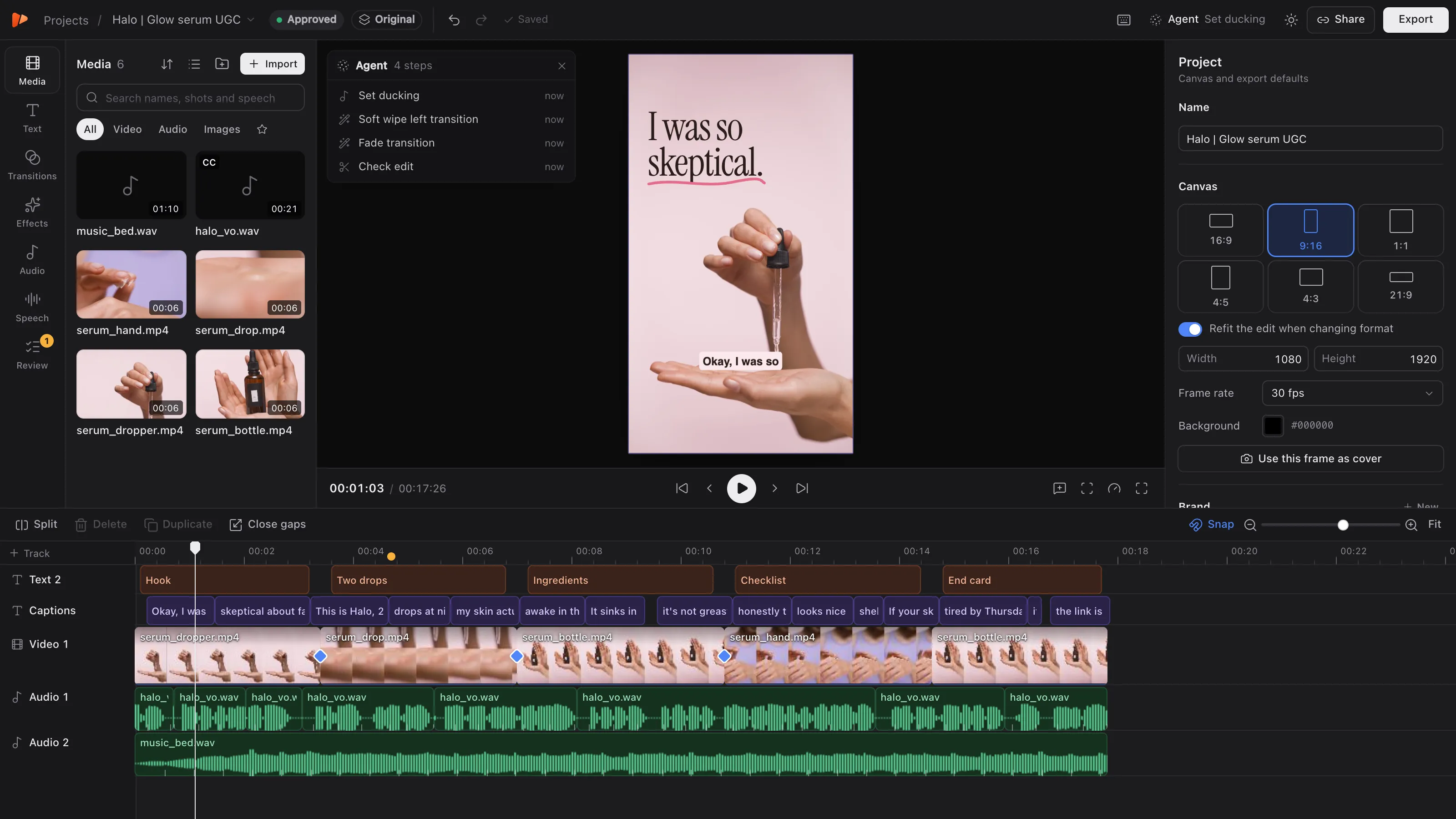
00:00Cut a 9:16 ad for Halo from the voiceover and the serum shots. Lose the ums and pauses, B-roll under every line, captions, music under the voice.
ClaudeReads the brief
00:00 / 00:31
Graphics that look designed, in every client’s brand
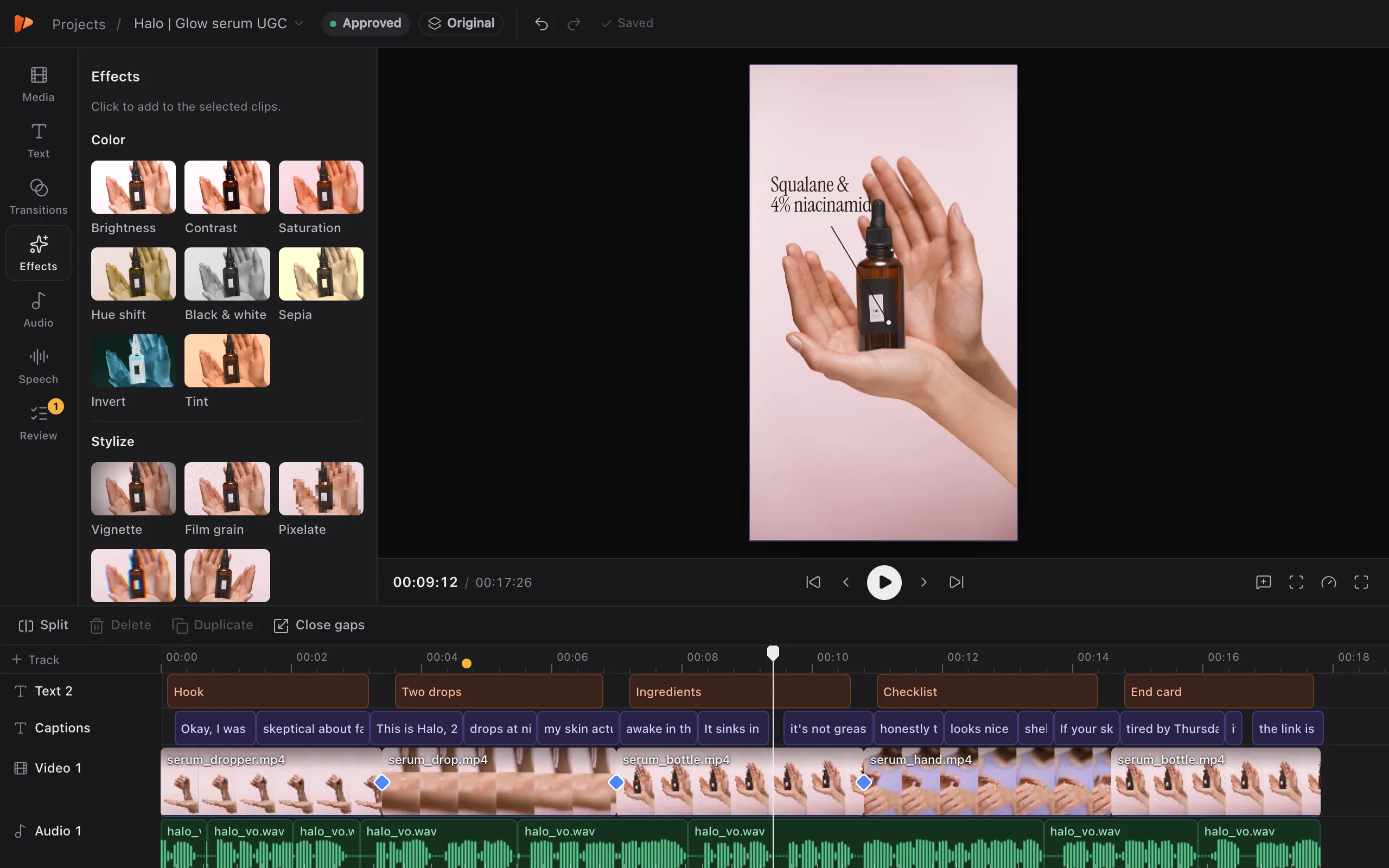
Claude builds animated hook titles, callouts, checklists and end cards from the client’s brand kit and times them to the cut. Each one is HTML and CSS, so your team can open it, change it and save it for the next ad.
All five use Halo’s brand kit: its colours and Instrument Serif.
How a job moves through Montik
Connect Claude once.
Create an access token in Montik and paste one line into Claude Code. From then on Claude can open any project you can.
Brief it like an editor.
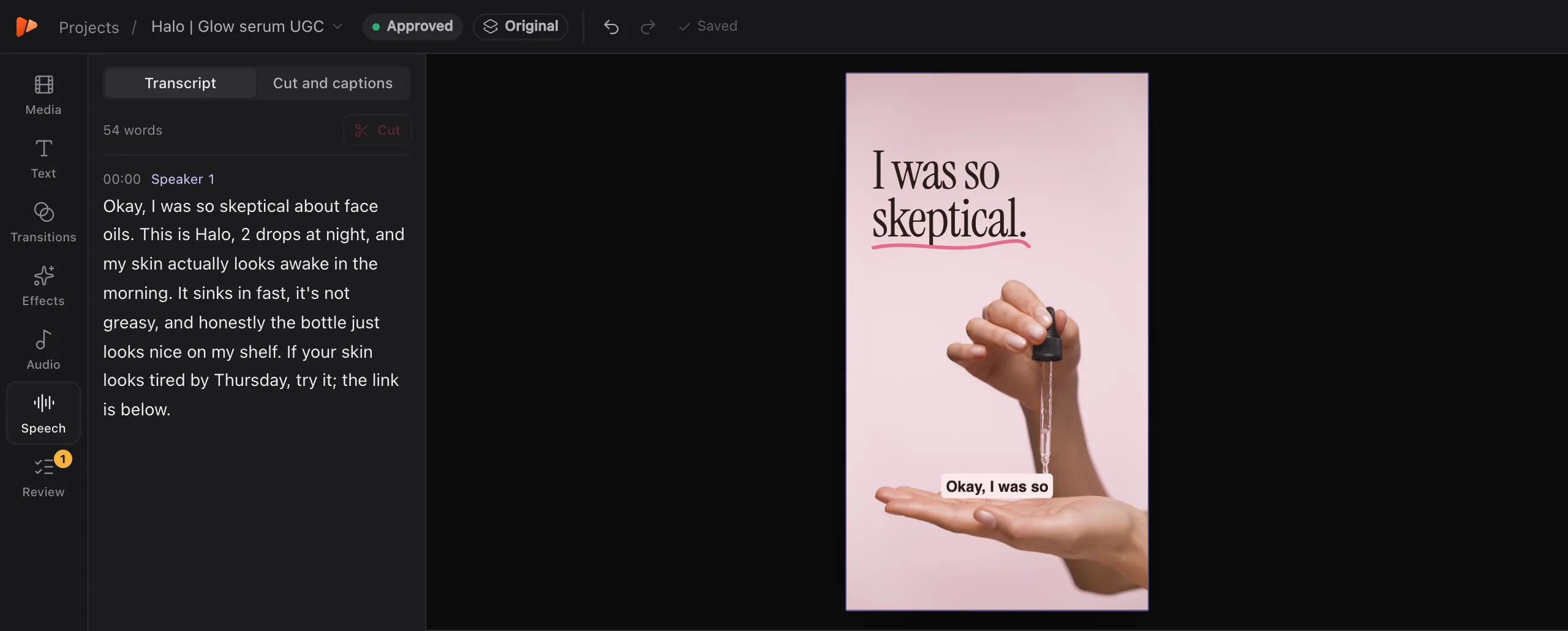
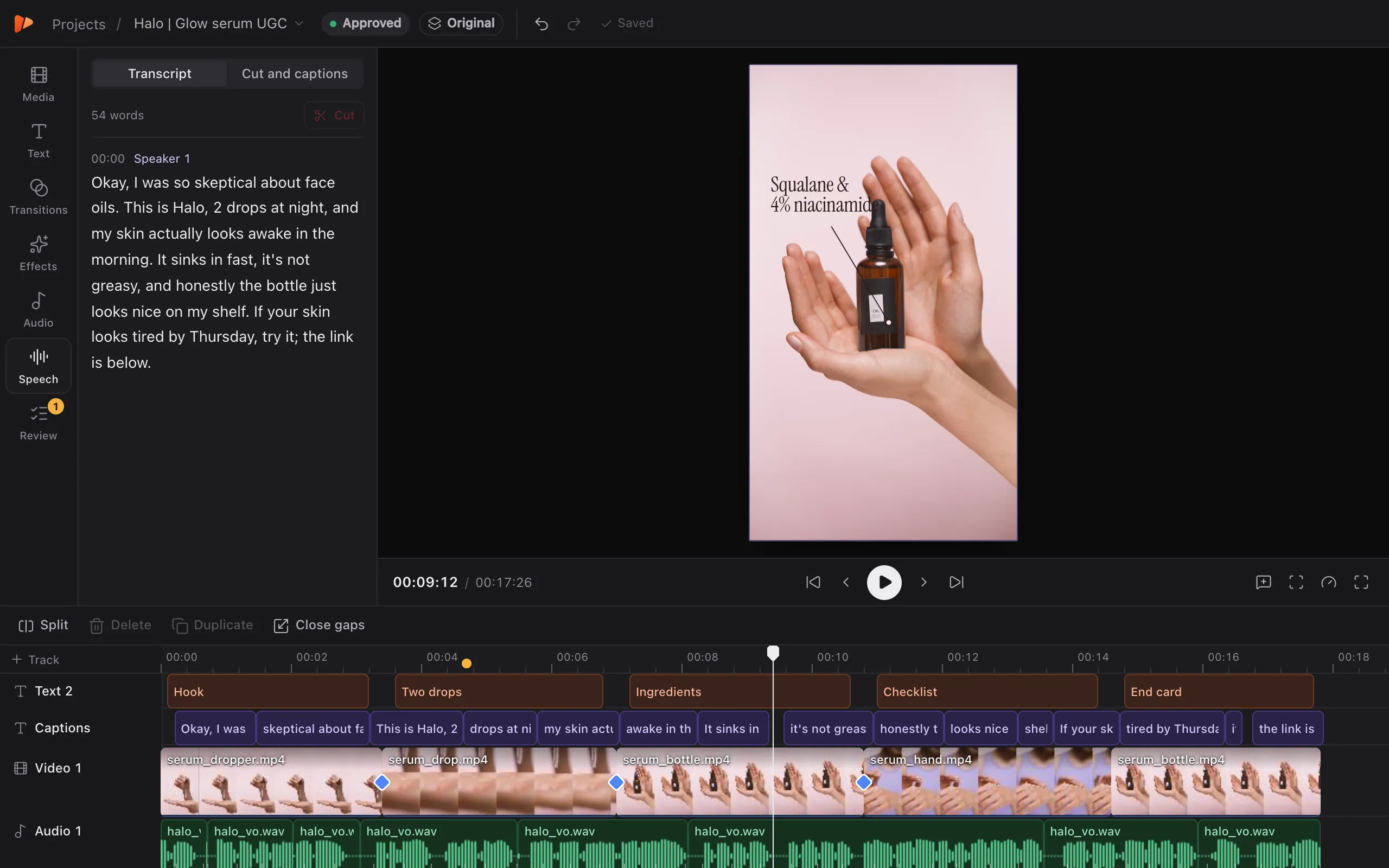
Upload the footage and describe the ad. Claude transcribes it, cuts on the words, lays B-roll, adds captions and builds the graphics while you watch each change land.
Point at what to change.
Pin a note to a moment or a spot in the frame. Claude works through the open notes and replies with what it changed.
Your client approves on one link.
They play the cut, leave notes with only their name and press Approve. They don’t need an account, and their notes land where Claude reads them.
Ship the hook variants.
Spin variants B and C off the approved cut, each with its own hook and cover, and export them together.
Connect an agent
- 1
Create an access token
It lets your agent edit the projects you can edit.
Token created - 2
Add Montik to your agent
Run this once in your terminal.
claude mcp add --transport http montik https://studio.montik.app/mcp …
- 3
Ask for an edit
- Transcribe the interview, cut the ums and long pauses, add karaoke captions.
- Make a 15 second vertical cut with the strongest hook first.
Made for teams that ship ads for other people’s brands
Every client has a look, a review process and a pile of placements. Montik keeps each of those in the project, where your editors and Claude can both see them.

A brand kit for every client
Colours, fonts and a Brand DNA note with the tone of voice and the do’s and don’ts. Claude reads it before it designs anything, and the kit is shared with every editor in your workspace.

Reviews on the frame, not in email
Clients pin notes to the exact moment and press Approve or Request changes. Teammates can join as Reviewers, who comment and approve without touching the cut.

Every client’s ads, and where each one stands
Filter the projects screen by draft, in review, changes or approved. Hook variants sit with the ad they came from.

Checked for every placement
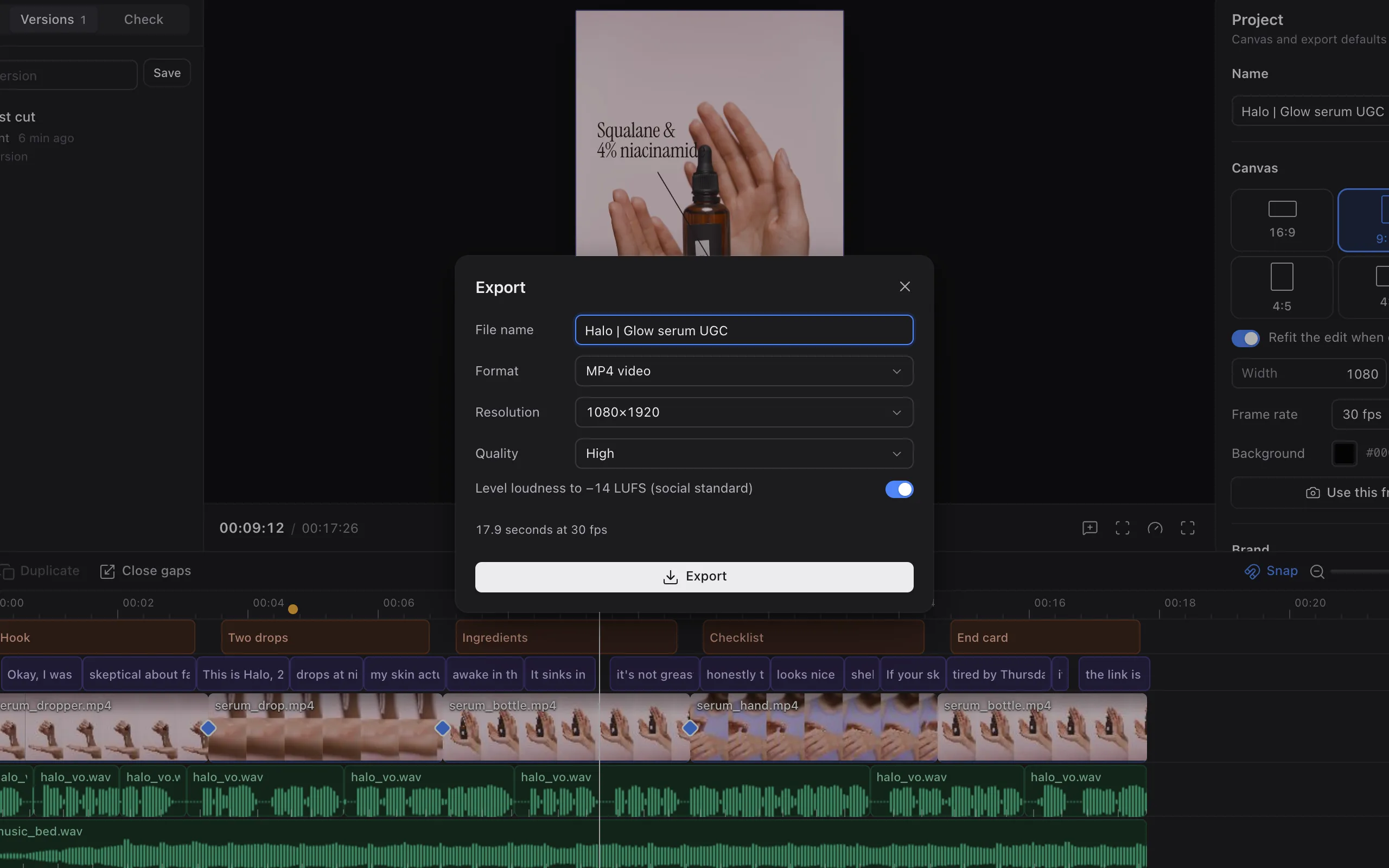
One edit switches between 9:16, 4:5, 1:1 and 16:9 and refits. TikTok, Reels and Shorts safe areas sit on the preview, and a check flags captions under the app’s buttons before your client sees them.
Your editors stay in charge
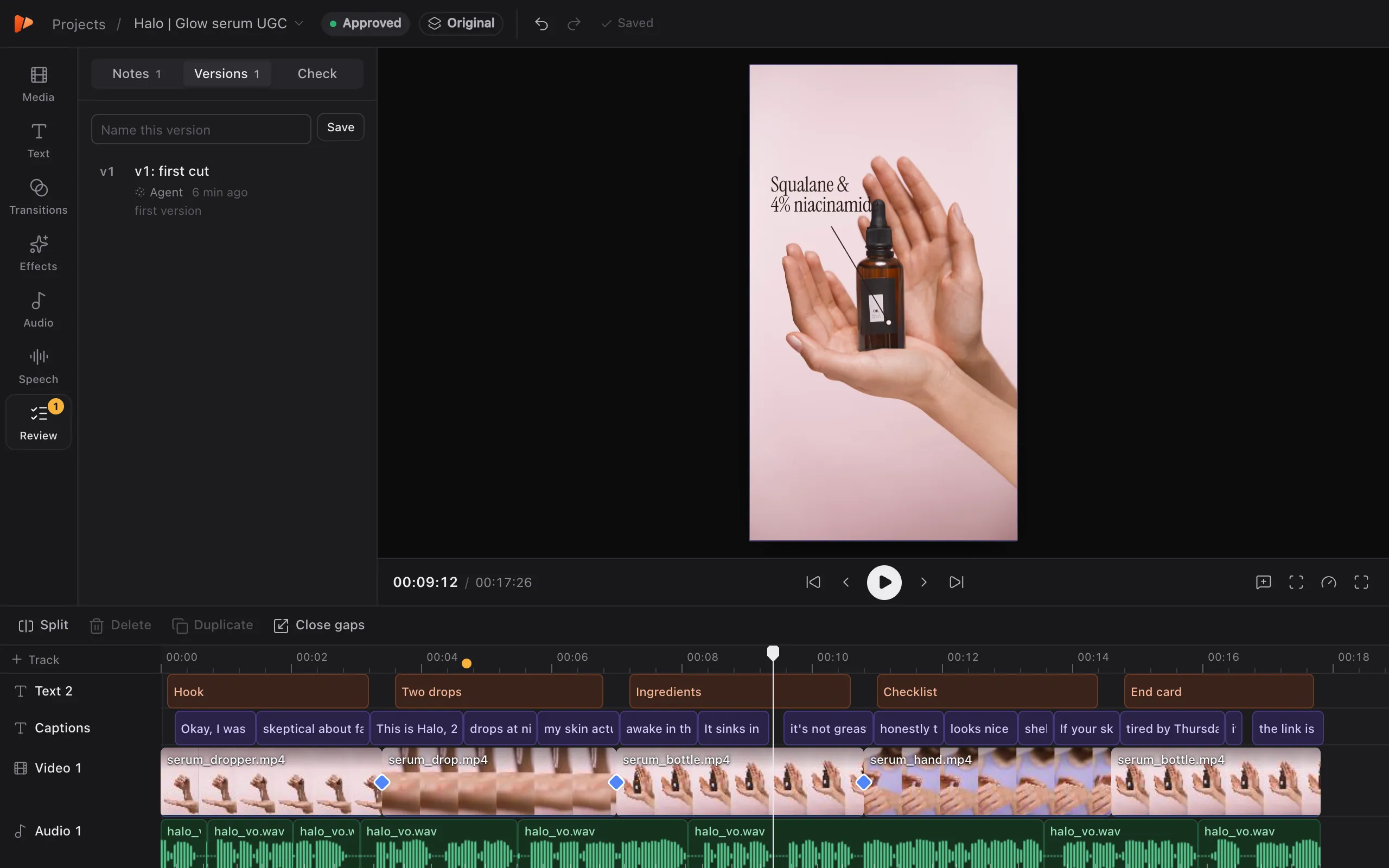
Montik is a full editor with a multi-track timeline. Anything Claude does, a person can do by hand, and both share one undo history.
Where the hours go
| Usually | In Montik |
|---|---|
| Scrubbing the waveform for every “um” | Claude takes out filler words and long pauses in one step |
| Typing captions and timing them by hand | Captions timed to every spoken word |
| Rebuilding motion graphics for every client | Claude designs them from the client’s brand kit |
| Rebuilding the cut for 4:5, 1:1 and 16:9 | Change the canvas and the edit refits |
| Client feedback spread across email and Slack | Notes pinned to the frame, on one link |
| Re-editing the whole ad for each new hook | Hook variants made from the approved cut |
| Guessing where TikTok’s buttons will sit | Safe areas on the preview, checked before review |
Questions agencies ask
What is Montik?
A video editor for short ads that runs in the browser, built for agencies and in-house teams. It has a multi-track timeline, transcript editing, captions, transitions, brand kits and client review links. Claude can do the editing for you while you watch, and you can take over at any point.
Do I need Claude to use it?
No. Every edit can be made by hand. Claude is how you hand off the slow parts: the first cut, the ums and pauses, captions, B-roll, hook variants and working through client notes. You connect your own Claude account, in Claude Code, and Montik gives it the editing tools.
What happens if Claude gets something wrong?
Each change Claude makes is one undo step in the same history as your own edits, so ⌘Z takes it back. You can also save a version before a big pass, watch it next to the current cut and restore it.
Do my clients need an account?
No. They open the review link, play the cut, leave notes with their name and press Approve or Request changes. Their notes show up in the project for your editor and for Claude.
Can my whole team work in it?
Yes. Invite people to your workspace as Editors, who cut and export, or as Reviewers, who watch, leave notes and approve without changing the cut. Projects, brand kits and fonts are shared across the workspace, and everyone with a project open sees changes as they happen.
How do the animated graphics work?
Each graphic is a small HTML and CSS page laid over the video and coloured by the client’s brand kit. Claude writes them for the ad in front of it, such as hook titles, callouts, checklists and price cards, and Montik also ships ten ready-made ones. Your team can change the code, save a graphic to reuse it, and it plays in the preview and exports frame by frame.
How do brand kits work?
Each kit holds a client’s colours, heading and body fonts, and a Brand DNA note with tone of voice, do’s and don’ts and reference ads. Captions, price tags, lower thirds and end cards use the kit, and Claude reads the note before it designs anything.
Which formats and platforms does it cover?
Edit once and switch between 9:16, 4:5, 1:1, 4:3, 16:9 and 21:9; the edit refits to the new frame. Safe areas for TikTok, Reels and Shorts sit on the preview. Exports are MP4 with loudness levelled to −14 LUFS.
Which languages can it transcribe?
More than 60, including Slovenian, with word-level timing and speakers. That’s what lets you cut by selecting words and makes captions land on the right word.
Where is our footage stored?
Uploads are stored on Cloudflare R2 and each project lives on Cloudflare’s network. Thumbnails, filmstrips and waveforms are made in your browser as you upload.